My First EF SHP10 Setup: Running My Dryer and Furnace With the TITAN 5000+
Hey EcoFlow family! 💙
Now that my TITAN 5000+ is connected to my Smart Home Panel 10 (SHP10), I get to see what it can do with my home circuits.
For my first setup, I opened the EcoFlow app, tapped Home, and selected Smart Home Panel 10.
1. Backup Reserve— I can set aside some battery power for an outage. For the dryer test, I lowered my reserve to 20%.
2. Circuit Priorities— I picked my Must-Haves, the circuits I want powered first during an outage.
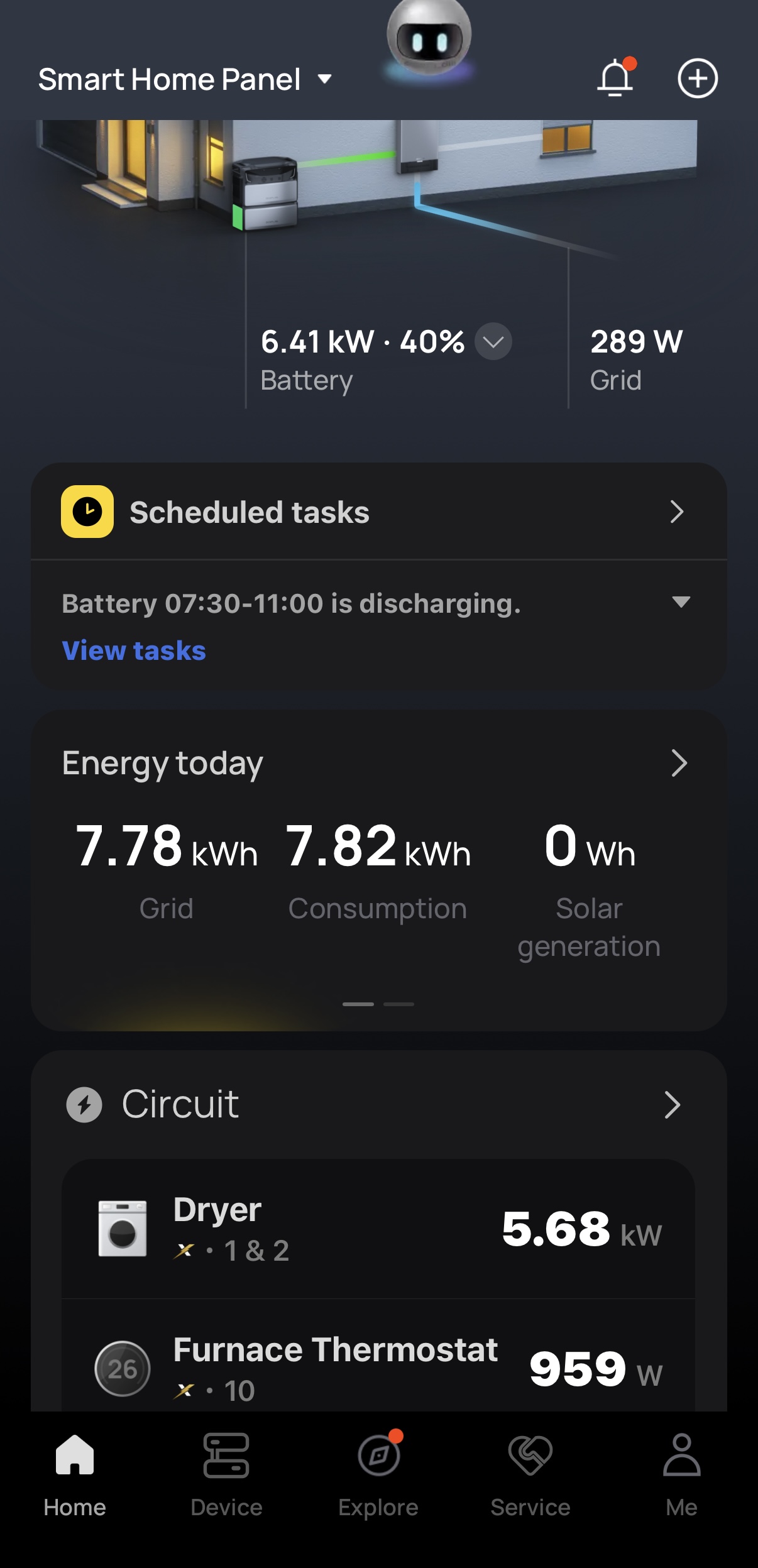
3. Operating Mode— I went to Settings → Operating Mode → Scheduled Tasks and set a time to charge overnight and a time to use the battery for my dryer test.
I usually do laundry on Saturdays, when I pay a higher rate during the day. My rate is lower from 12 to 6 a.m., so I wanted to see how the TITAN would do if I charged it overnight and used the battery when I ran the dryer.
With the dryer and gas furnace running at the same time, I checked the app and saw theTITAN supplying 6.441 kW while the grid was only supplying 289 watts. The battery was doing most of the work right then! I was also surprised to see how much power my gas furnace pulled on its own.
I used to move smaller units around the house to power different things. Now I can see what the SHP10 and TITAN can power right through my home circuits. MY POWER WALL has changed how I think about backup power, and I fell in love with my TITAN all over again.
EcoFlow gifted me this system to review, and I’d buy it with my own money. The SHP2 and SHP3 felt a little intimidating to me. I found the SHP10 simple to set up in the app and easy to use. 💙
Thank you for taking the time to read my reviews. I appreciate y’all! 💙